
BlogData managementModel training
Dataset Versioning for Computer Vision: DVC, Git LFS, lakeFS Compared
What dataset versioning is, why images and labels make it hard, and how DVC, Git LFS, lakeFS and Supervisely project versions compare, with a table.

Dataset versioning for computer vision means saving every state of your images and annotations, so you can restore it, compare it and trace which state trained which model. You can do it with DVC, Git LFS, lakeFS, or with the project versions built into a labeling platform such as Supervisely.
Supervisely project versions cover images, videos and volumes, and compare classes, tags and annotations.
Media are linked, not duplicated. Restore a version into a new project, or compare two in a report.
This guide explains why images and labels are harder to version than code. It compares the four approaches with facts from each tool's own pages, and shows when each is the better pick.
For the full label, train and evaluate loop in Supervisely, see MLOps workflow and data versioning.
What is dataset versioning?
A dataset version is a saved, named state of a dataset that you can return to later. It answers three questions:
- What exactly did the dataset contain when we trained model X?
- What changed between version 3 and version 4?
- Can we get version 3 back?
Without it, teams keep folders like dataset_final_v2_fixed and guess which one a model saw.
Results cannot be reproduced, and a bad batch of labels cannot be rolled back.
Why are images and labels harder to version than code?
Code is small text, and Git handles it well. A computer vision dataset breaks these assumptions in four ways.
- Size. Images and videos are large binary files. Git was not designed for them. GitHub warns when a file is above 50 MiB and blocks files above 100 MiB, and recommends keeping repositories ideally under 1 GB.
- Many small files. A dataset can hold hundreds of thousands of images. Copying all of them for every version is slow and wasteful, so a good approach shares unchanged files between versions.
- Labels change as often as images. Annotators fix boxes, rename classes, merge tags and add objects. A version of "the images" is meaningless unless it also pins the matching annotations.
- Diffs are not readable. A text diff of a large annotation JSON does not tell you that three polygons moved and a class was renamed. You need a comparison that understands classes, tags and objects.
{ "objects": [{ "classTitle": "car", "points": [[…], …] },{ "classTitle": "vehicle", "points": [[…], …] },{ "classTitle": "person", "points": [[…], …] },{ "classTitle": "person", "points": [[…], …] },…
- 3polygons moved
- 1class renamedcar → vehicle
There is also an organizational problem. Annotators, data engineers and ML engineers all change the data, usually in different tools.
A history that only lives in one engineer's Git repository does not help the annotation team.
Which approaches can you use to version a dataset?
There are four common approaches. Each solves a different part of the problem.
| Approach | How it versions | Where the data lives | Annotation-aware | Best fit |
|---|---|---|---|---|
| Git LFS | Replaces large files with small text pointers in Git. Per-file limit on GitHub: 2 GB (Free, Pro), 4 GB (Team), 5 GB (Enterprise Cloud) | A remote server such as GitHub | No, files only | Small to mid-size datasets in a Git workflow |
| DVC (Apache 2.0) | Stores data in a cache and remote, commits small .dvc files to Git (how it works) | Your own remote: S3, Azure, Google Cloud, SSH, HDFS, HTTP and others | No, files only | Code-first teams that want data and pipelines in a Git repo, with no server |
| lakeFS (BUSL 1.1, open source) | Git-like branches, commits, merges and reverts on object storage. A branch is a pointer, not a copy | Your S3, Azure Blob or Google Cloud Storage bucket | No, objects only | Large data lakes, many teams, atomic merges and pre-merge checks |
| Supervisely project versions | Versions created in the UI. Media are linked, not duplicated | Inside the platform | Yes: classes, tags, annotations | Teams that label, review and train in one place. Pro or Enterprise plan |
Open-source adoption gives a rough sense of maturity: the DVC repository shows about 16,000 GitHub stars and lakeFS about 5,600, at the time of writing.
How does Git LFS work?
Git LFS is an open source Git extension for versioning large files.
You run git lfs track for the file types you want, and Git stores a small pointer file instead of the file. The content lives on a remote server.
It is the smallest change to a Git workflow. It is also the most limited: no pipelines, no experiments, and hosting limits apply.
Use it when the dataset is modest and your team already lives in GitHub.
How does DVC work?
DVC moves data into a cache and commits a small .dvc file with the data hash to Git.
You push the data to a remote with dvc push. You restore an old version by checking out an old .dvc file with Git and running dvc checkout.
DVC's own docs note that it is technically not a version control system by itself: Git versions the pointers.
This is a strong choice for ML engineers:
- it needs no server,
- it works with the storage you already pay for,
- its README also covers experiments.
The trade-off is that it is a command-line tool, so annotators and reviewers rarely use it.
How does lakeFS work?
lakeFS puts a Git-like layer on top of object storage.
Per its docs, commits are immutable checkpoints, and creating a branch creates a pointer rather than duplicating data. The documentation lists branch, commit, merge (applied as a single atomic update) and revert.
It works with S3, Azure Blob Storage, Google Cloud Storage and S3-compatible systems.
lakeFS is the better pick when you run a large data lake, many people write to it at once and you want to test a change on a branch before it reaches production. The cost is running a service.
Its repository states the license as Business Source License 1.1, with each version turning into Apache 2.0 four years after release. Check that license against your use case.
How do platform-native versions work?
A labeling platform already holds the images, the annotations and the history of who changed them.
Versioning there means the platform saves a state of the whole project. The next section shows how this looks in Supervisely.
How do you version a dataset in Supervisely?
Supervisely has project versions on a dedicated Versions tab. Per the Project Versions docs:
- Create a version after upload, annotation or any transformation. A version can be created only if the project changed since the last one. Each version has an editable title and description.
- Keep storage small. Versions use a binary format, and media files are linked rather than duplicated.
- Preview without restoring. Read-only previews let you inspect a version's data. Previews are available for Images and Videos projects.
- Restore. Restoring creates a separate project with the state of the selected version. The original project is not overwritten. Only major versions can be restored.
- Compare two versions. The report covers datasets, items, annotations, tags, classes and project settings and can be downloaded as one HTML file. It needs Supervisely 6.18.3 or later and Data Versioning app v0.4.0 or later.
Versions work for Images, Videos and Volumes projects and need the Pro or Enterprise plan (see pricing).
Versions also appear in the MLOps Workflow, a graph that shows how data moves through apps, augmentation, splitting and training.
Training runs produce checkpoints and benchmark reports with metrics such as mAP, precision, recall and inference speed. The dedicated post walks through that graph.
Versioning works best when the data is also organized:
- Supervisely data management covers projects, datasets, teams, roles, import and export.
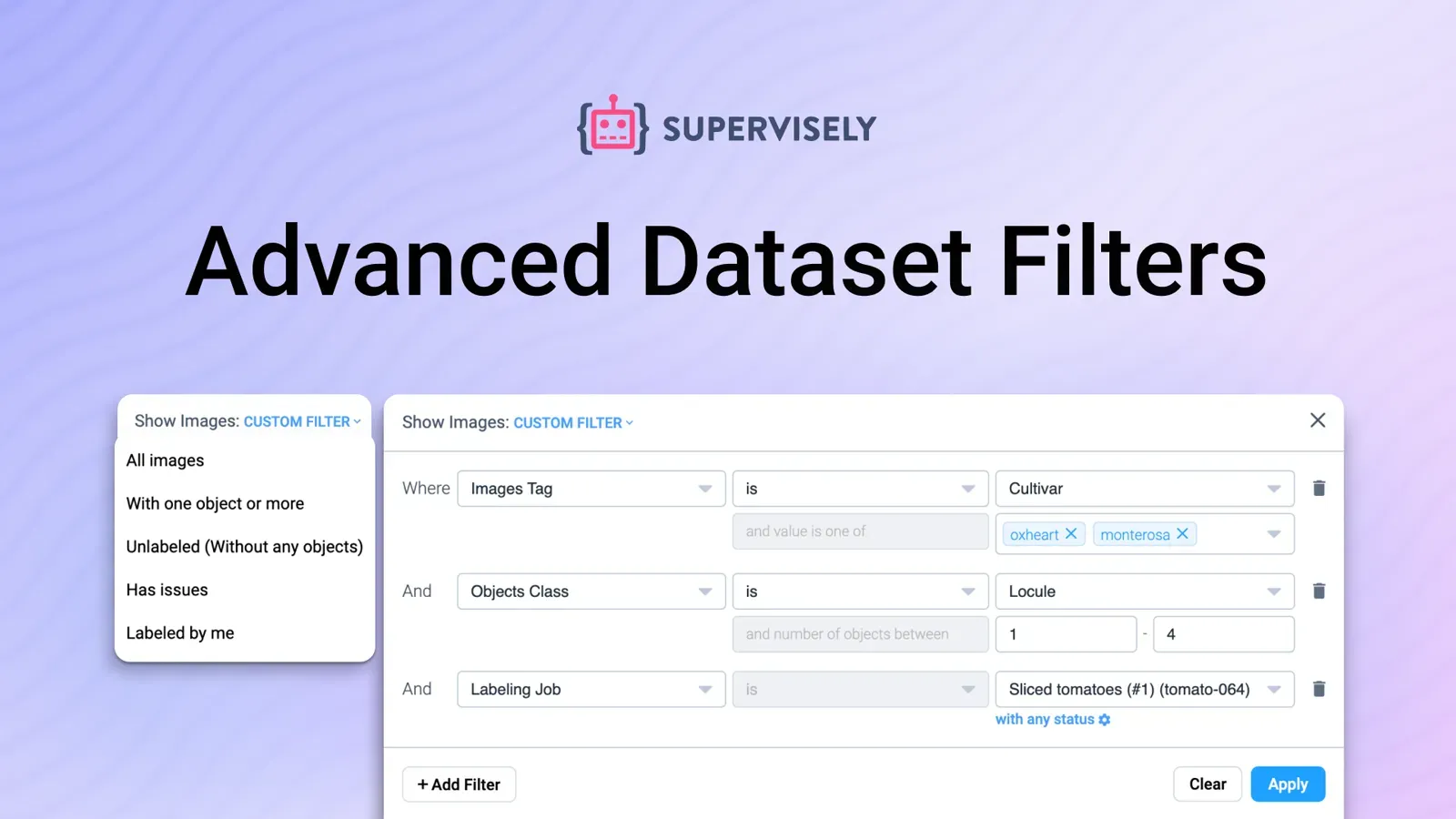
- Filters help you pick the subset you want to version.
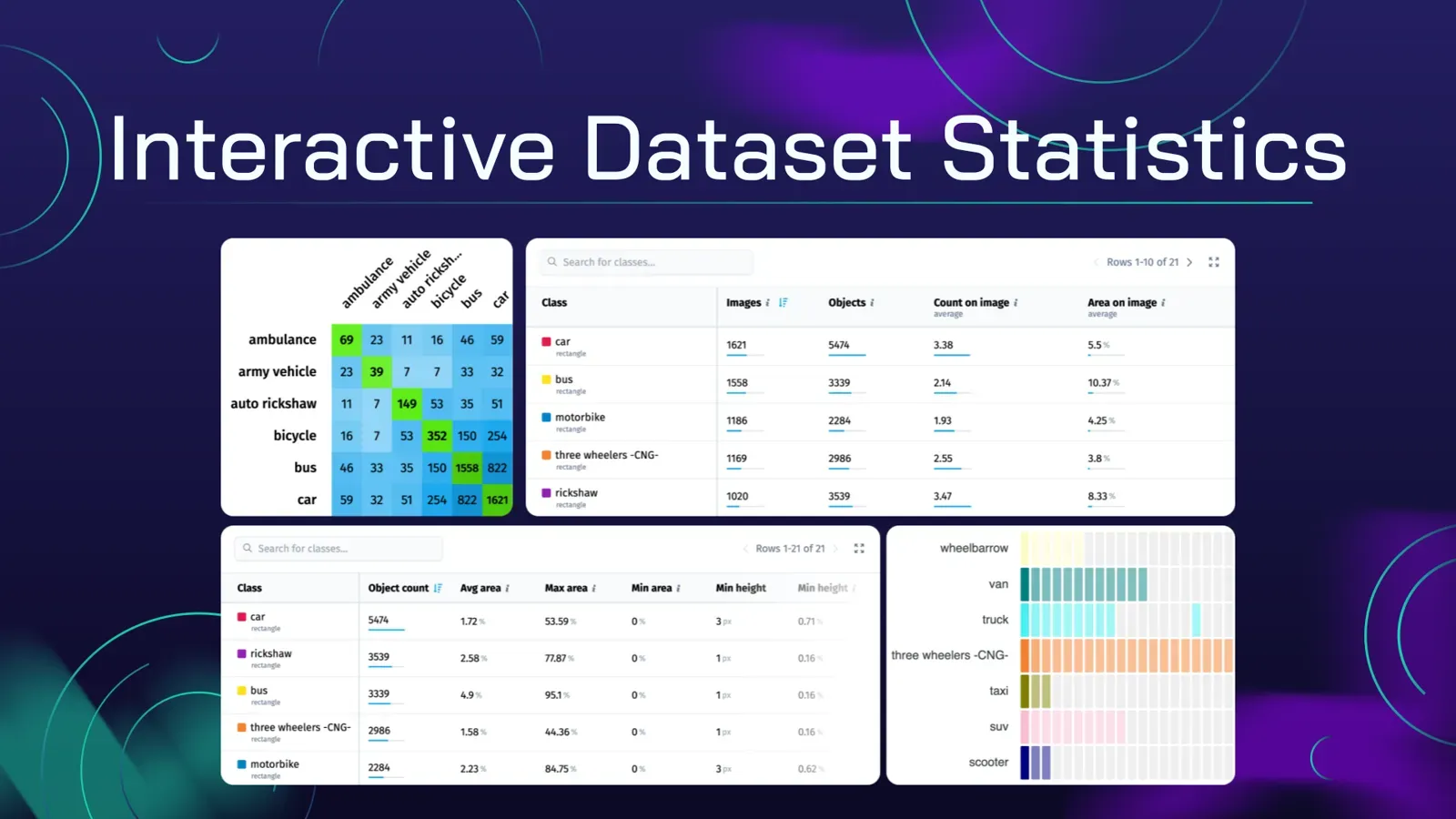
- Quality assurance statistics show class balance before you freeze a version.
Supervisely can be deployed in the cloud or on-premise; see the Enterprise page.
DVC vs lakeFS vs platform versions: which one should you pick?
Choose by who changes the data and where it lives.
- Pick Git LFS if the dataset is small, your code is on GitHub and you want the least setup. Do not expect more than file storage.
- Pick DVC if the people changing data are ML engineers working in Git. It is free, needs no server and covers pipelines and experiments. It is usually a better fit than a platform when your whole stack is scripts and you do not run a labeling team.
- Pick lakeFS if the data already sits in an object store, many teams write to it and you need branches, atomic merges and rollbacks at data-lake scale. It will not understand annotations.
- Pick platform versions if annotators, reviewers and ML engineers all work in one tool and you need to know what changed in classes, tags and annotations, not just in files. The trade-off is a paid plan and working inside the platform.
You can also combine them. A common split is annotation and review in a labeling platform with project versions, and exports of frozen versions into DVC or lakeFS for the training pipeline.
Supervisely can export data in common formats, so a frozen version can leave the platform as a plain dataset.
What should a good versioning workflow include?
Whatever tool you use, check these five points:
- Version images and labels together. A version that does not pin the annotations does not reproduce a training run.
- Version at meaningful moments. After import, after a review round, before and after a transformation, before training.
- Record the version in every training run. The model should point to the exact dataset state.
- Compare before you train. Look at what changed in classes and counts. A renamed class can silently break a metric.
- Test restoring. A history you cannot restore is not a history.
FAQ
What is dataset versioning in computer vision?
Dataset versioning means saving named states of your images and their annotations, so you can restore an earlier state, compare two states and know which state a model was trained on. In computer vision the labels change as often as the images do, so both need to be versioned together.
Do I need dataset versioning if I use Git?
Yes, if your data is more than a few small files. Git is not built for large binaries. GitHub warns on files above 50 MiB and blocks files above 100 MiB. Tools such as Git LFS, DVC and lakeFS keep the data outside the normal Git history and track its versions.
What is the difference between DVC and lakeFS?
DVC keeps data in a cache and a remote and commits small .dvc pointer files to Git, so you version data with Git commands. lakeFS adds Git-like branches, commits and merges directly on top of an object store such as S3, and creating a branch copies no data. DVC is code-first and runs without a server. lakeFS needs a service in front of your storage.
Can Git LFS version image annotations?
It can store annotation files, such as COCO JSON, as large files, but it treats them as opaque blobs. A one-box change in a large JSON shows up as a whole changed file. It does not know about classes, tags or objects.
How do I version a dataset in Supervisely?
Open the project, go to the Versions tab and create a version. Versions cover images, videos and volumes, link media instead of copying it, and can be restored into a new project or compared in a report. They need the Pro or Enterprise plan.
Can I run dataset versioning on my own servers?
DVC and lakeFS can be self-hosted. Supervisely can be deployed in the cloud or on-premise. See the Enterprise page for the editions.